
<img height="1" width="1" style="display:none" src="https://www.facebook.com/tr?id=460665961190132&amp;ev=PageView&amp;noscript=1">
New App Update

Event Packs

Ready-made lighting for holidays, sports, and more. 

EVENT PACKS

Your Occasion. Already Planned. 

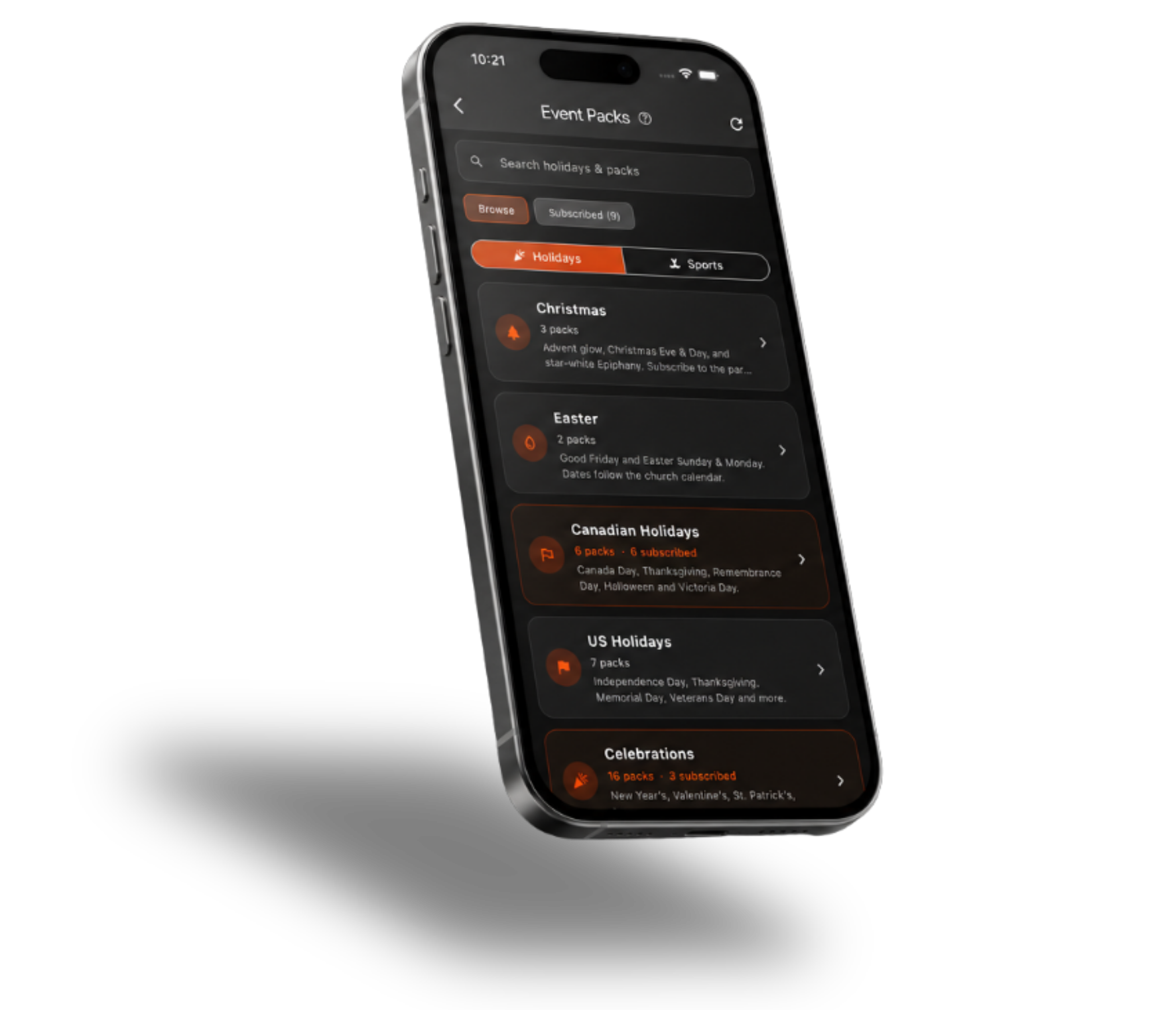
Browse ready-made Event Packs for holidays, celebrations, and sports, then add the ones you want to your Celebright schedule. . 

01

Explore Event Packs for holidays, celebrations, and sports. 

02

Add the packs you want to your account so they’re ready when you need them.  

03

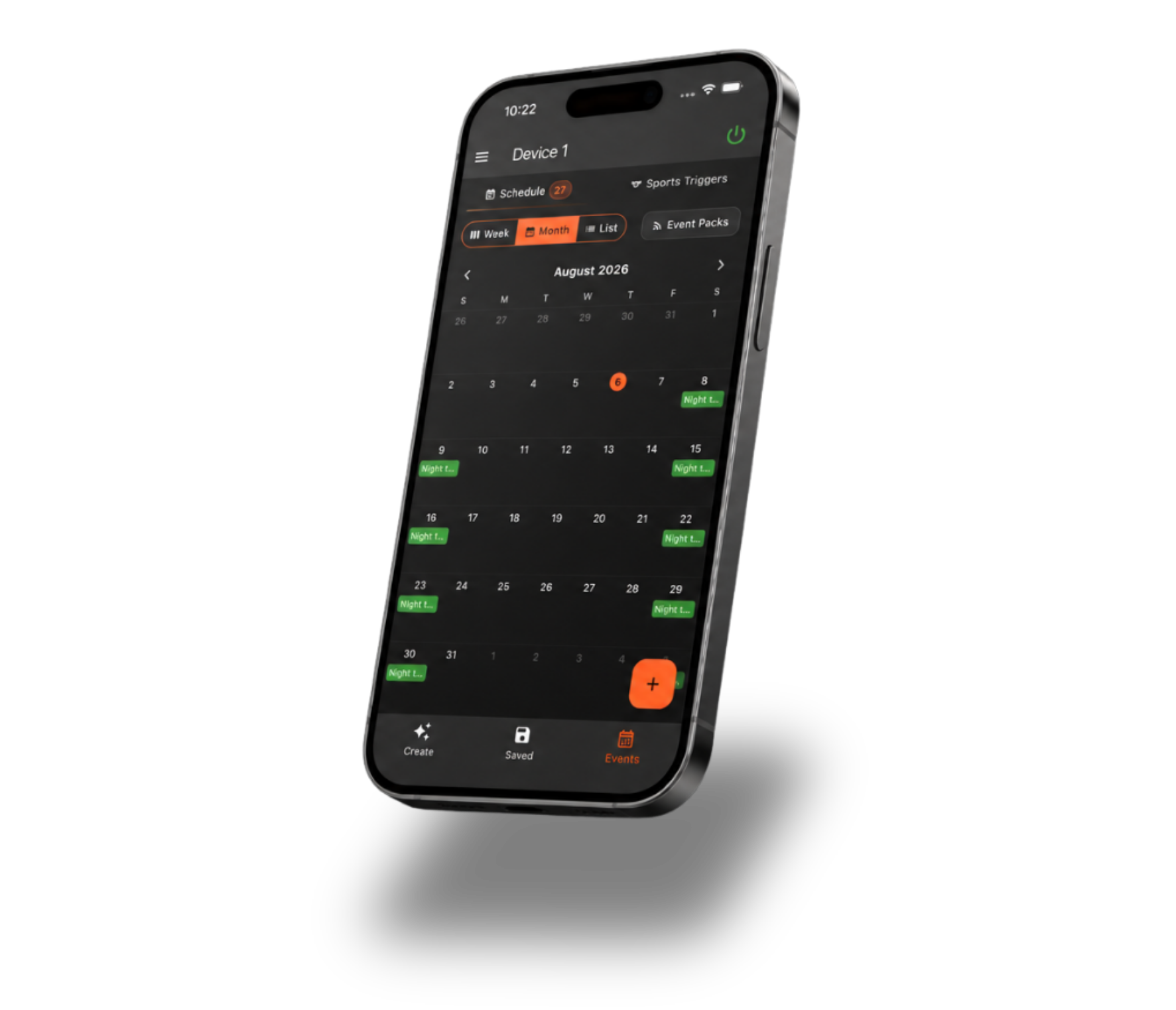
Turn a ready-made Event Pack into scheduled lighting without rebuilding the experience from scratch. 
Celebright app Device Groups
Use Cases

Ready For The Moments That Matter. 

Use Event Packs whenever you want your lighting ready for a holiday, celebration, or game without having to build the entire setup yourself.  

01
 Holiday Lighting  

Choose from ready-made lighting for seasonal occasions throughout the year. 

02
Game Days  

Bring team-inspired lighting to your home with sports packs across major leagues.

03
Celebrations 

Find Event Packs for special occasions like New Year’s, Valentine’s Day, and more. 

04
Recurring Events  

Schedule familiar lighting experiences to return automatically on the days or seasons you choose.
Celebright app Device Groups
Smarter Group Control

 Lighting, Ready To Go. 

 Once your Event Pack is added, Celebright gives you more control over when it starts, how often it repeats, and when it shuts off. 

Sync devices
 Flexible Timing 

 Schedule Events by a specific time, dawn, or dusk. 

Run Events
 Repeat Automatically 

 Set daily, weekly, monthly, or yearly repeat schedules.  

Manage devices together
 Built-In Safeguards 

 Use Auto Off and Blackout Windows to keep lighting within the hours you choose.  

How it works

 Event Packs,
Step by Step

 Watch this guided training video to learn how Event Packs work, how to browse and subscribe to Packs, and how to add them to your Celebright schedule. 

 
Ready to try

Update the Firmware to Get Started

Open Celebright Cloud, you will see a cloud icon with an arrow when a firmware update is available. Hit the icon to download the available update.